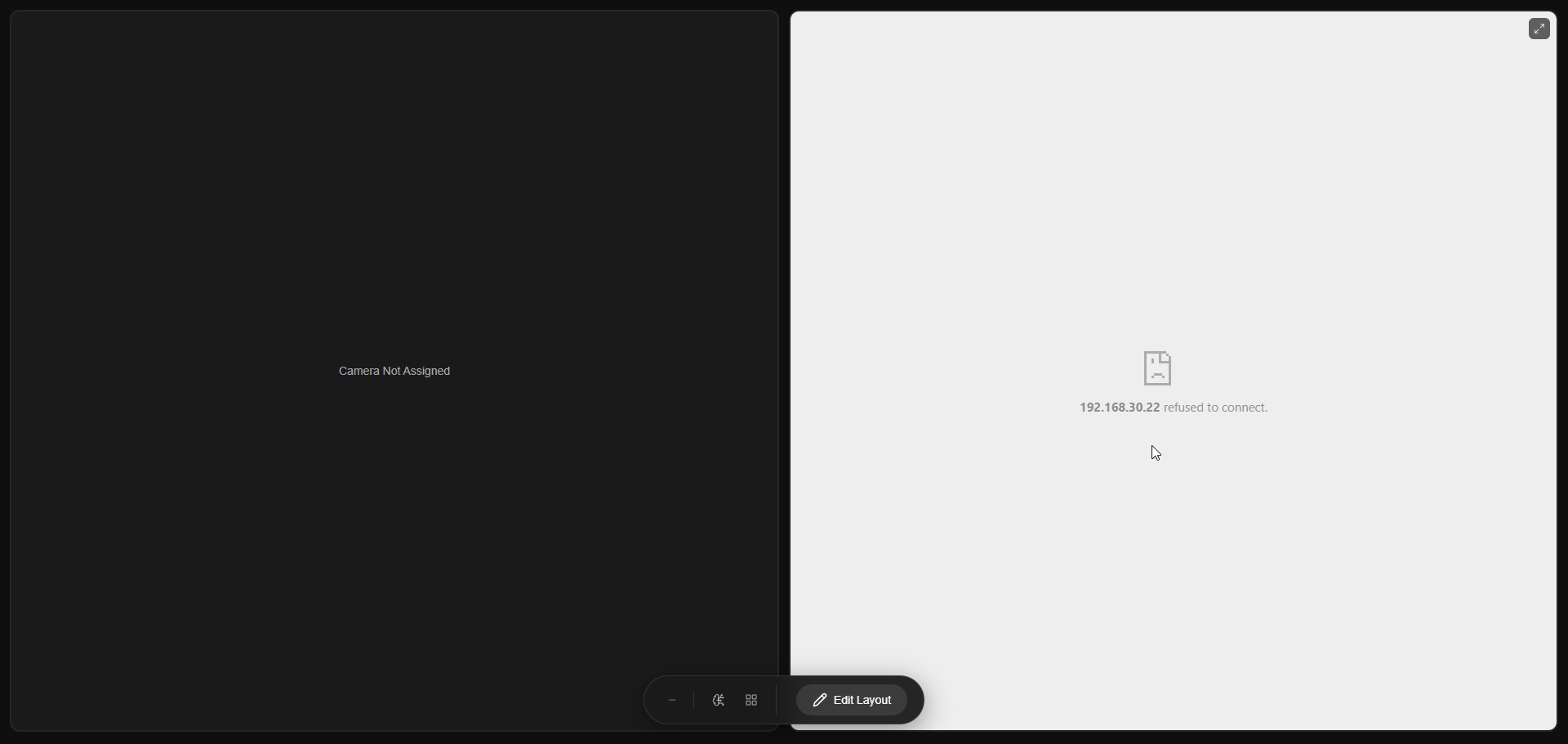
Starting from MASS version 3.26.x, when the user tries to create a new video wall, he encounters the following screen:
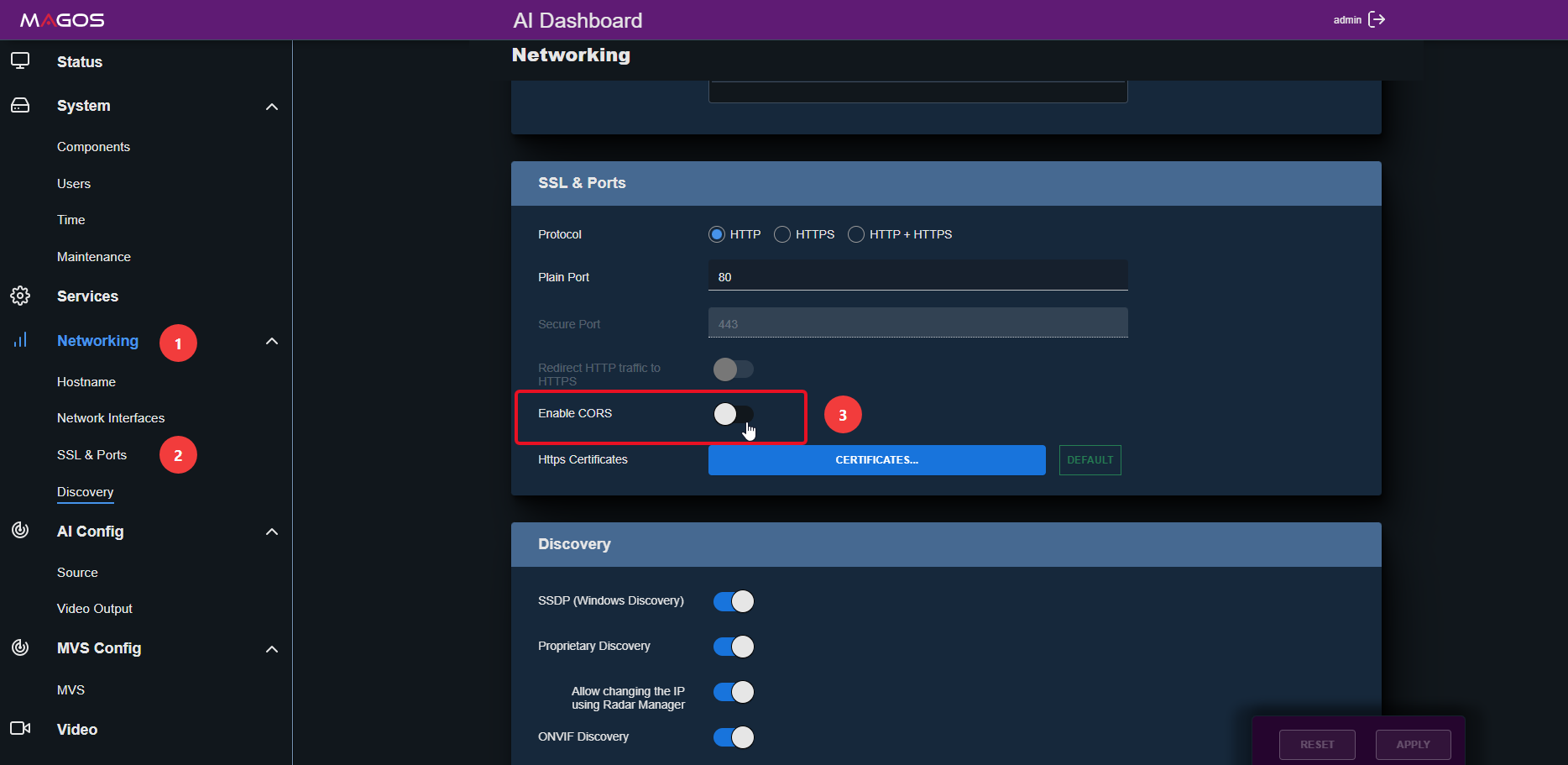
To enable the MASS map on the video wall, we need to go to the AI Appliance the MASS instance is running on and enable CORS as follows:
1. Login the AI appliance as admin.
2. Go to Networking > SSL & Ports
3. Toggle the Enable CORS on.
And that's it.